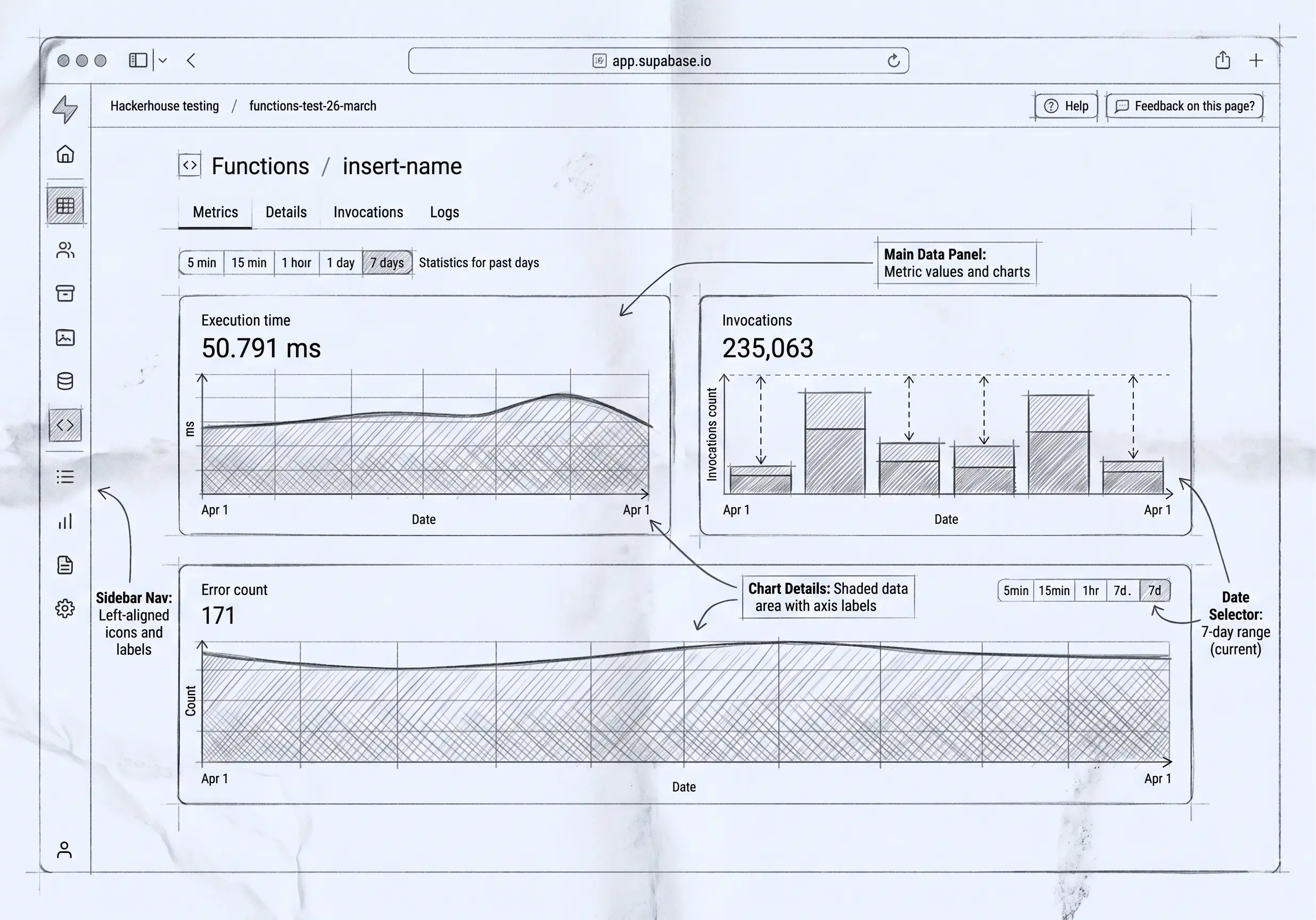

There’s a category of tools that promises to get you from “we need an internal app” to “we have one” without a backend team. UI builders — Retool, Budibase, Tooljet, and the rest — do exactly that, and they’re genuinely good at it. Drag a table onto a canvas, point it at a query, wire a button to an action, ship.
dForge gets you to the same place from the opposite direction. You don’t draw the screens. You describe the model — the entities, fields, relations, rules, and roles — and the screens are generated from it.
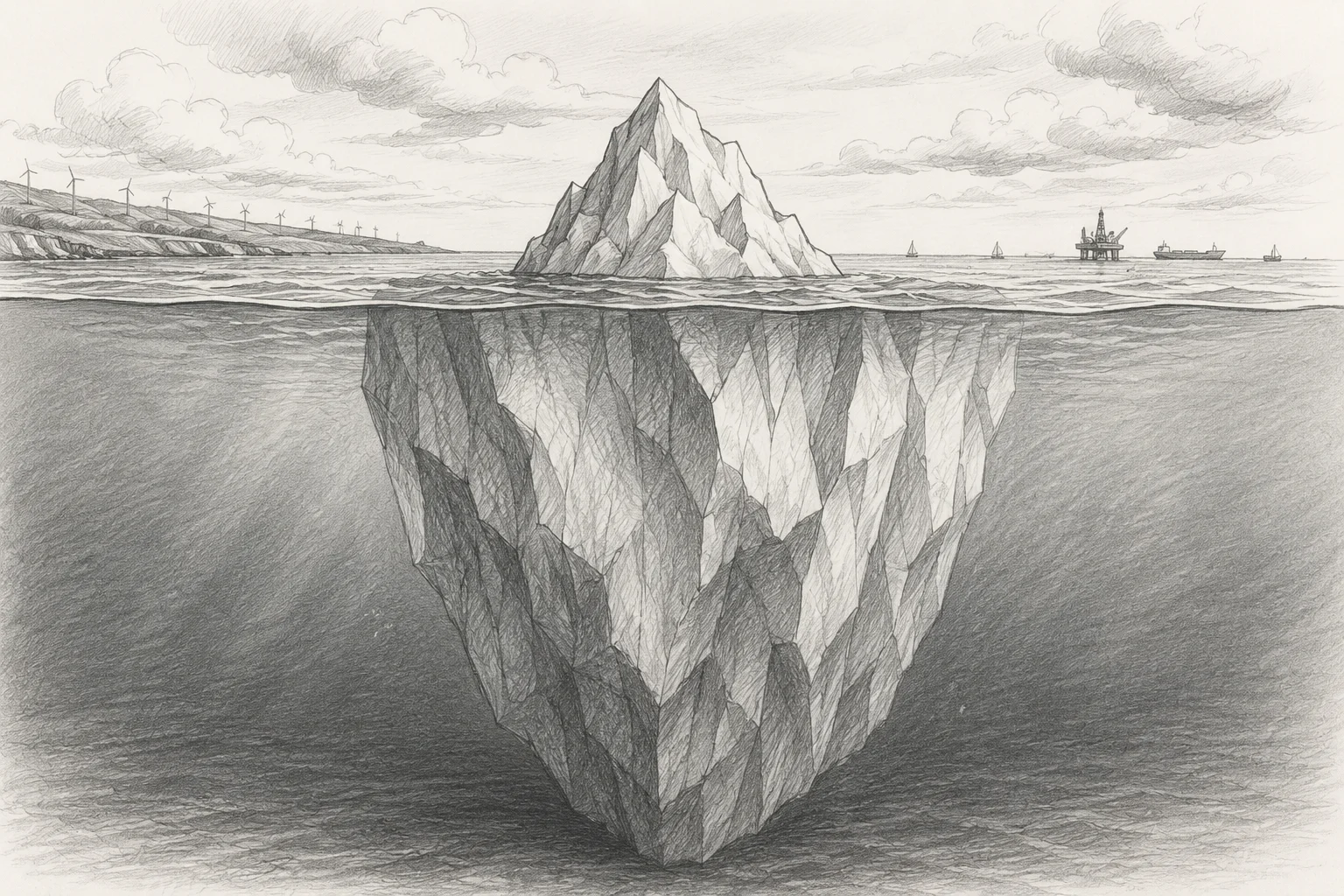
That sounds like a small difference in workflow. It isn’t. It’s an architectural fork that decides how consistent your app looks, how its security actually behaves, and whether anyone can safely change it after the person who built it has moved on. This post is about that fork — what each side is good at, and the trade-offs that come with generating UI instead of building it by hand.
Two ways to build the same app
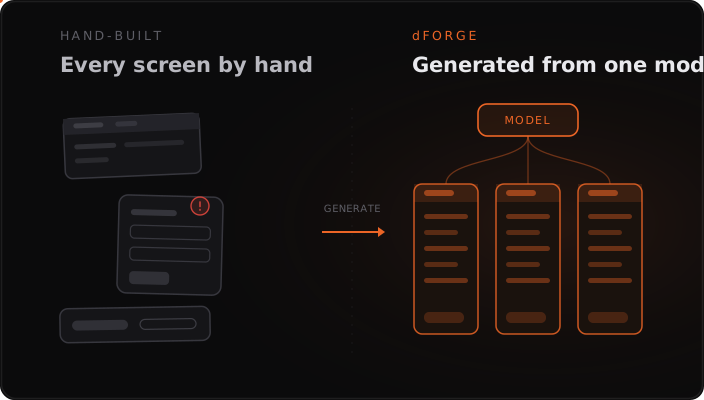
A UI builder treats the screen as the primary artifact. You assemble each view by hand: place components, bind them to data sources, write the little transforms and validations that glue it together. The app is the collection of screens you built, plus the queries and snippets behind them.
dForge treats the model as the primary artifact. You declare what a “Purchase Order” is, what fields it has, which roles can see which columns, what states it moves through, and what happens on each transition. The list view, the detail form, the filters, the relations — those are projected from that definition. The app is the model; the UI is its rendering.
The slogan version: a UI builder asks “what should this screen look like?” dForge asks “what is this thing, and who’s allowed to do what with it?” — and renders the screens from the answer.
Why generation produces consistency for free
When every screen is built by hand, every screen is an opportunity for drift. One developer formats currency one way, another forgets. One form validates the email field, the next one doesn’t. A field gets renamed in the database and three of the seven screens that reference it silently break. None of this is incompetence — it’s the natural entropy of any system where the same fact is expressed in many hand-edited places.
Generated UI doesn’t drift, because there’s only one source for each fact. Currency renders the same everywhere because “this field is money” is declared once, on the field. Add a column to an entity and it appears, correctly typed and permission-checked, in every view that should show it. Rename it and nothing breaks, because the views reference the model, not a hard-coded string. Consistency isn’t a style guide you have to enforce — it’s a property of the architecture.
This is the same reason declarative definitions beat imperative code for business logic: when the definition is the implementation, the two can’t fall out of sync.
The part users feel every day: layouts they can shape themselves
Here’s a consequence of generation that’s easy to miss on a feature list but that users feel constantly. Because a screen is a projection of the model — described by a view configuration, which is just data — the person looking at it can reshape it without anyone writing code.
In dForge, the module developer ships sensible defaults: a grid for this entity, a kanban for that pipeline, a clean detail form. But those are starting points, not the only option. A user can:
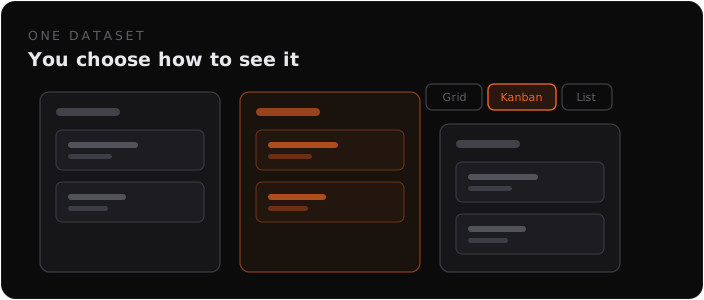
- Switch the visualization on the fly. The same records can be a grid today, a kanban grouped by status when they’re working the pipeline, a list on mobile, a calendar when dates matter. It’s the same data viewed differently, not a different screen someone had to build.
- Build the layout that fits their work. Reorder, resize, and hide columns; choose which fields the card form shows and how it’s grouped; then save it as a personal view they can return to with one click.
- Filter to their own slice at runtime — per-user, no admin, no redeploy — so everyone can have the working view that suits them without changing what anyone else sees.
Now compare that to a UI builder. Every one of those is a new hand-built screen. Want a kanban next to your table? That’s a developer ticket, a new canvas, new bindings, a deploy. Want the form to show three more fields the way you think about them? Ticket. The user can’t reshape a hand-built screen, because the screen is code, and code is the developer’s to change. The traditional answer to “can I see this differently?” is “file a request and wait.”
The generated-UI answer is “yes, do it yourself, now.” That’s not a cosmetic nicety — it’s the difference between software that adapts to how each person actually works and software where every adaptation is a backlog item.
And — this is the crucial part — it all happens underneath the security model. A personal view or filter can only ever narrow what a user is already allowed to see; row- and column-level rules still apply on every request beneath whatever layout they pick. Users get full freedom over presentation and zero freedom to see data they shouldn’t. In a hand-built tool, that guarantee doesn’t come for free — each custom screen is another place the rules have to be re-applied by hand, which is exactly the problem the next section is about.
Where this bites hardest: the security model
This is the part that’s genuinely hard to argue against, so it’s worth being precise about it.
In a hand-built UI, access control tends to live on the screen and in the query. You hide a button for non-managers. You add a WHERE user_id = ? to a query. You gate a page behind a role check. Each of these is a correct, local decision — and each is a place you can forget. The leak in a builder-style app is almost never a dramatic breach; it’s the one report screen where someone wrote the query without the tenant filter, or the detail view that shows a salary column it shouldn’t because the permission lived on the list page and nobody added it here too. Security enforced per-screen is security with as many holes as you have screens.
When the UI is generated from a model, access control moves underneath the UI. In dForge, row-, column-, and folder-level rules are evaluated on the model on every request. The generated screen can’t show a column the rule forbids, because the data for it never leaves the server — there’s no hand-written query to forget the filter on, and no view that can opt out of the check. The same audit trail records every write with before/after snapshots, because writes go through the model too, not through bespoke per-screen code.
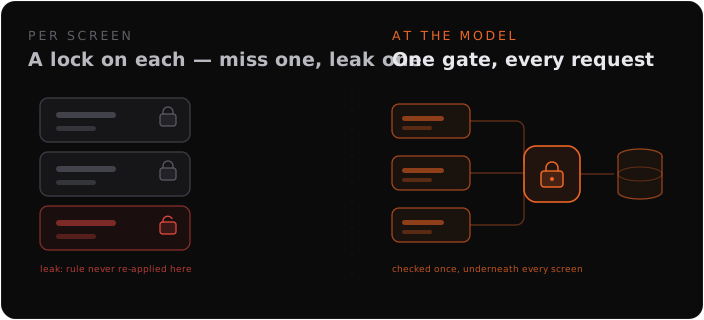
The difference in one line: in a UI builder, the UI is where you apply security and hope you applied it everywhere; in a generated system, the UI is where security shows up, because it was enforced one layer down. (Our dForge vs Retool and dForge vs Budibase comparisons go deeper on how each platform handles this.)
The cost that arrives in year two: maintenance and the bus factor
Hand-built internal tools have a predictable life cycle. They get built fast — that’s the selling point. Then they accumulate: a custom query here, a JavaScript transform there, a special case bolted onto a form to handle the one weird edge the business actually has. The person who built it holds the map in their head. Then they leave.
Now the tool still runs, but nobody left can safely change it. The logic isn’t written down anywhere except inside the screens, and reading it back out means reverse-engineering someone’s component bindings and inline code. This is the bus factor, and it’s how internal tools quietly turn into legacy systems that everyone is afraid to touch.
A model-driven system resists this because the system is its own specification. The entities, rules, permissions, and workflows are declared as data, not buried in per-screen code. A new person reads what the system does instead of excavating it. And when AI helps build — through dForge’s MCP server — it generates more of that same clean, inspectable metadata, not more brittle code for someone to maintain later. (We wrote more about durability in internal tools built to last.)
The honest trade-offs
Generation isn’t free, and pretending otherwise would be exactly the kind of marketing this post is arguing against. Here’s the real ledger.
What you give up:
- Pixel-level UI control. A drag-and-drop canvas will always give you more visual freedom than a generated view. If you need a bespoke, branded, precisely-laid-out interface, hand-built wins. Generated UI is consistent and structured by design — which is the same thing as saying it’s opinionated about layout.
- A smaller integration surface. Mature UI builders ship huge libraries of prebuilt connectors. dForge’s surface is narrower — data in through its API, out through webhooks. If your job is mostly stitching many external systems together behind one screen, a builder may fit better.
- Platform dependency on the model layer. Your app’s behavior depends on how well the platform’s model can express what you need. Most business logic fits; some genuinely procedural or algorithmic work still wants real code (which is why an extensibility escape hatch matters).
- A different learning curve. “Describe the thing” is a different skill from “draw the screen.” Teams used to canvases have to shift how they think.
What you get in return:
- Consistency by construction — no per-screen drift, ever.
- Security enforced once, underneath every screen — not re-applied (and re-forgotten) per view.
- A built-in audit trail on every write, because writes go through the model.
- Maintainability that survives turnover — the system documents itself.
- Change that propagates — edit the model, every relevant screen updates.
The trade is real and it points in a clear direction: UI builders optimize for the first day; generated systems optimize for the second year. If you’re building a throwaway dashboard or a heavily-branded customer-facing surface, hand-built is the right call. If you’re building the system your operation will run on — the one that has to stay correct, governed, and changeable long after today’s team — generation wins.
So which are you actually building?
The useful question isn’t “which tool has more components.” It’s: is the screen the thing, or is the model the thing?
If you genuinely have the data already and just need a fast, flexible interface on top of it, a UI builder is excellent, and we’ll happily tell you so. If what you’re missing is the system itself — the structure, the rules, the record of what happened — then building it screen by screen is solving the wrong layer. That’s the case dForge is built for.
The fastest way to know is to take your hardest internal workflow and ask which question it’s really asking. If you want a second opinion on the fit, get in touch — we’ll tell you honestly which side of the fork you’re on.